Part 2 of the Campaign Pro Tutorial looks at sending Emails to Lists of Contacts.

Campaigns Pro (Part 2)
SENDING BULK EMAILS
To send emails to multiple contacts requires three main steps:
A. Creating a list.
B. Adding contacts to it so you can send your email(s) or SMS. Lists can be segmented however you wish, and there is no limit on how many lists you can create to segment your contacts.
C. Adding the List to a Campaign. This is accomplished using our Automation App (We have created a workflow automation that you can use for this purpose.)
Below are a series of step-by-step screenshots.
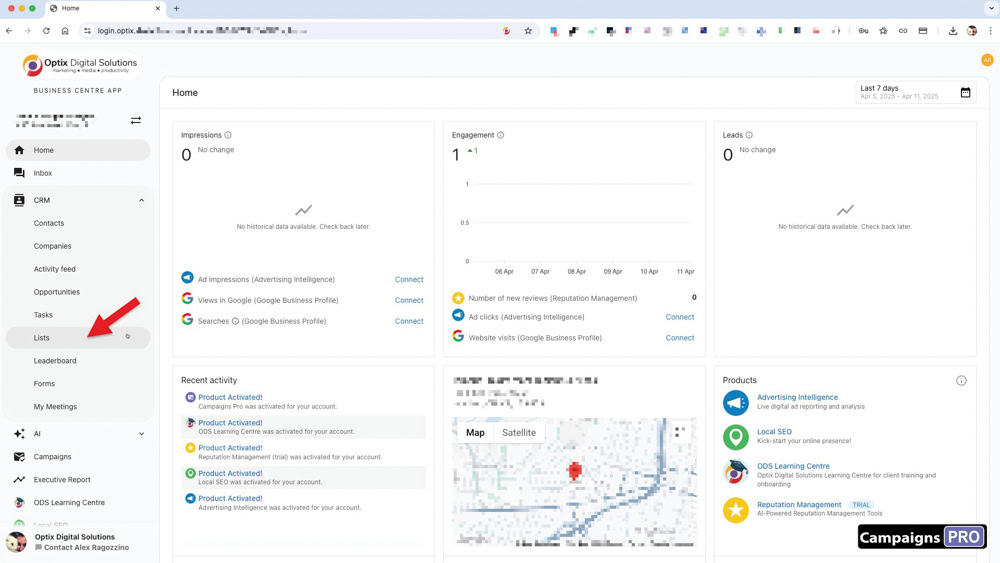
A. CREATE A LIST
In the CRM app, look for the Lists" Menu.
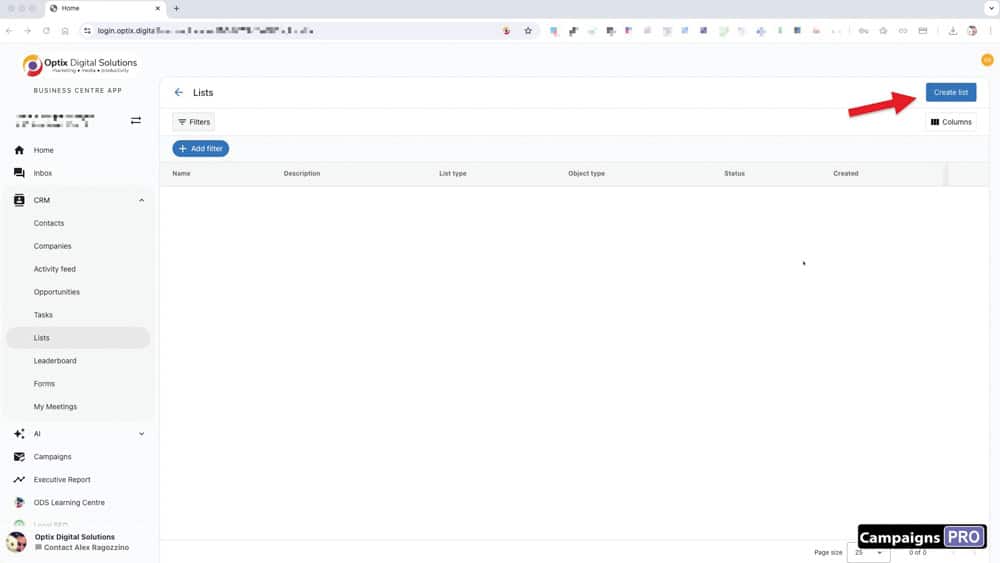
1. CLICK on "Create List".
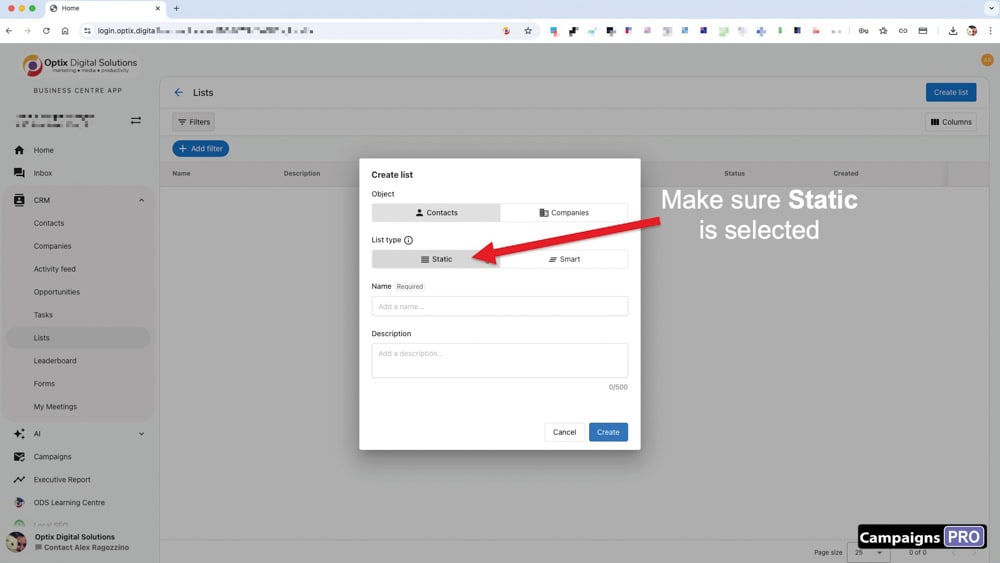
2. Select "Static".
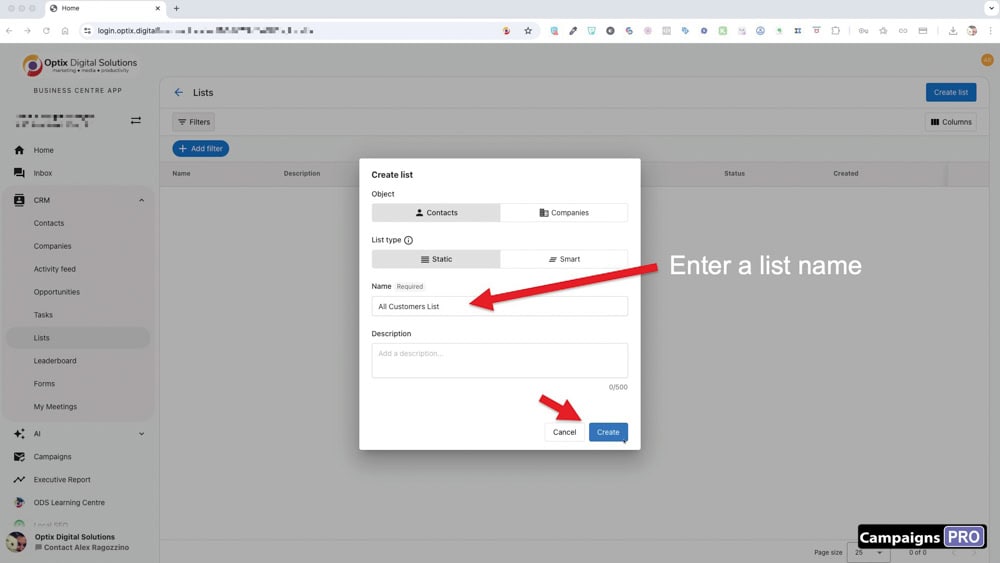
3. Enter a List Name and click "Create".
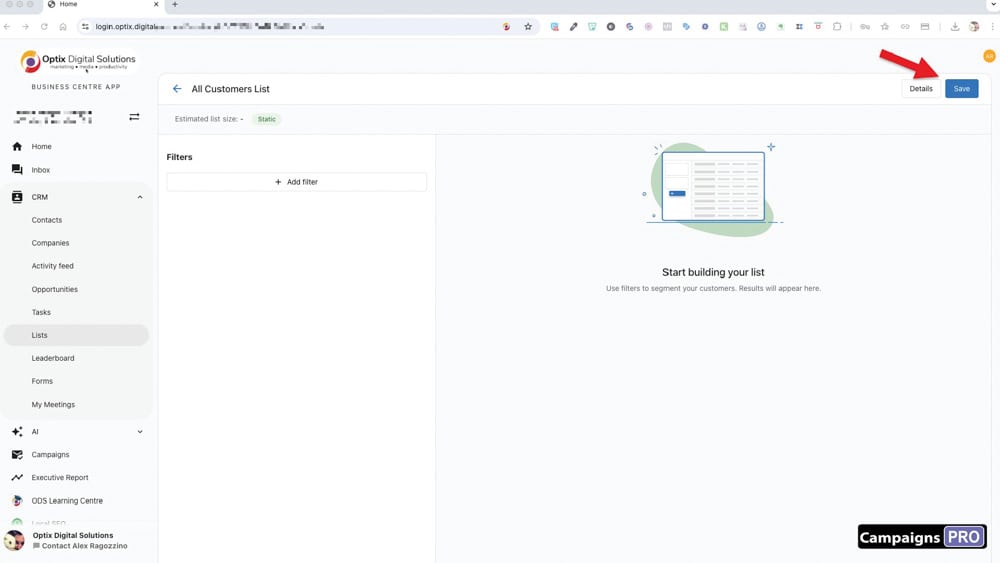
4. Save the List.
----------------------------------------
B. ADD CONTACTS TO A LIST
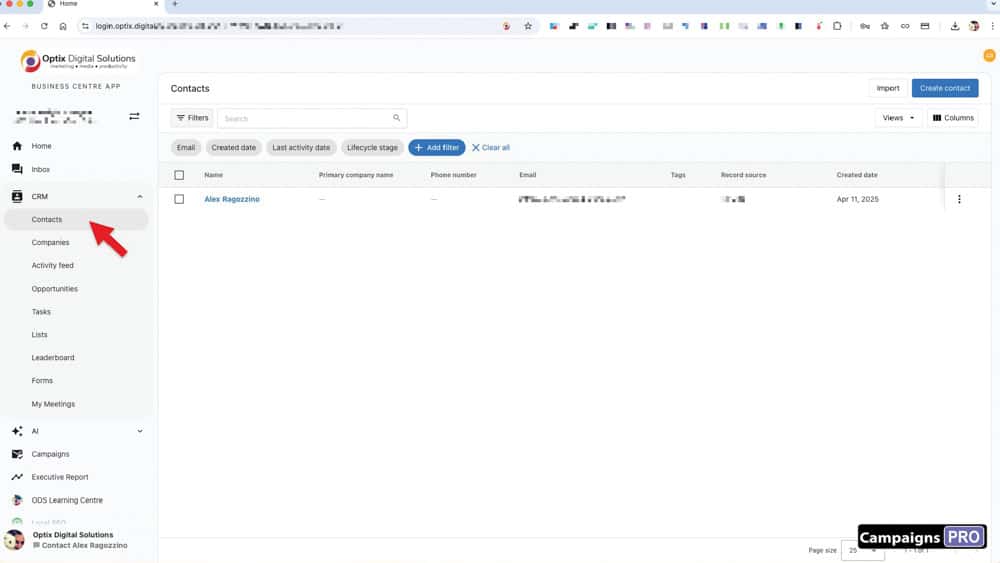
1. Go back to your "Contacts".
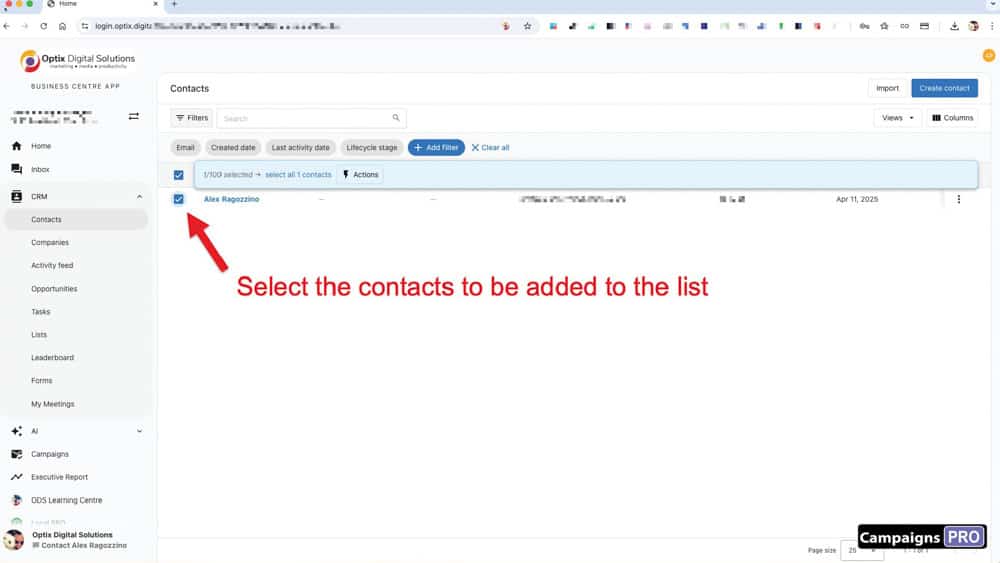
2. Select (checkbox) the contacts you want to add to the list.
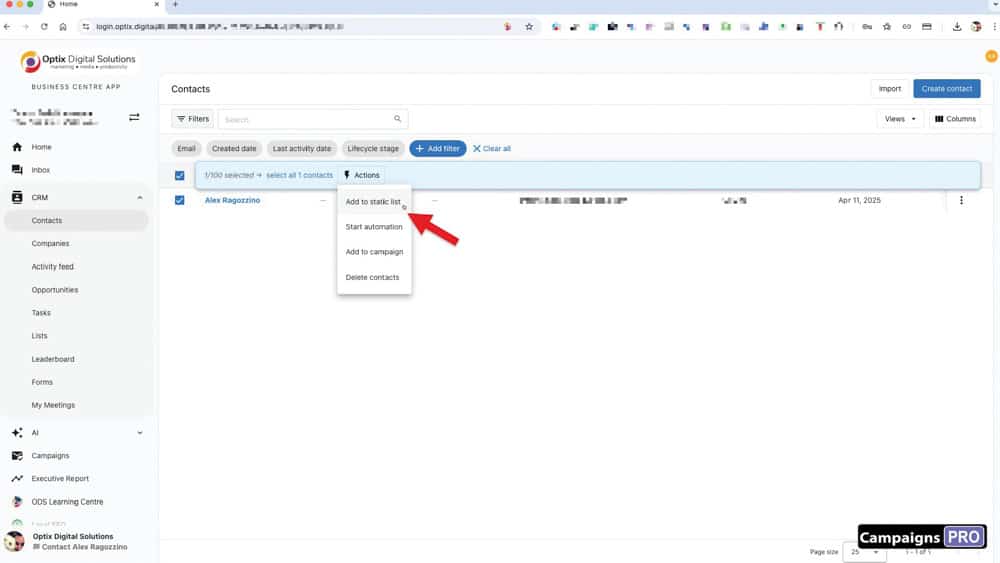
3. Click on "Actions" and select "Add to static List".
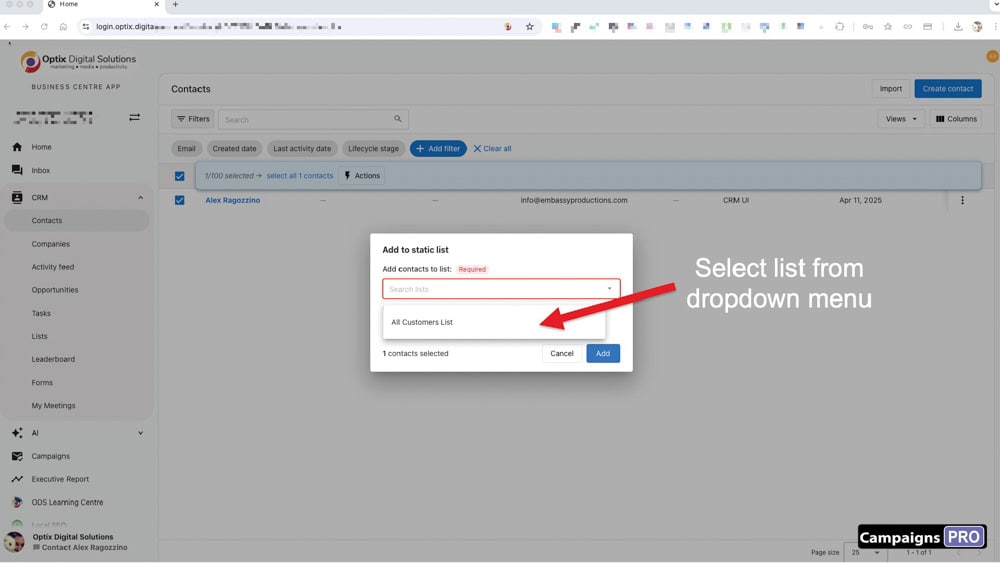
4. Select the list you previously created. Be sure to click the "Add" button.
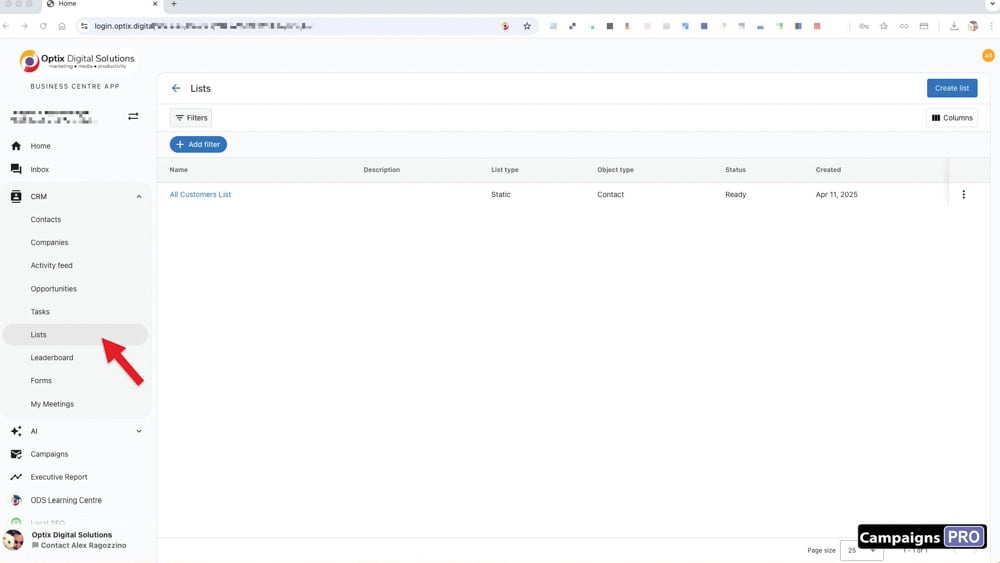
5. To check that the contacts were added, go back to the "List Menu".
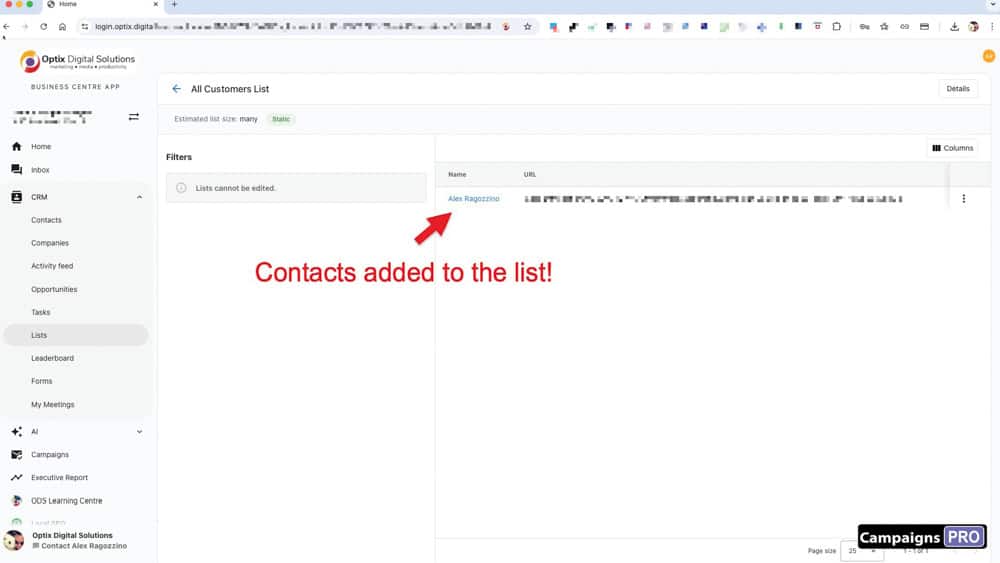
That's it! You've just created a segmented List of Contacts to send campaigns to.
----------------------------------------
C. USING AUTOMATIONS TO SEND EMAILS TO A LIST
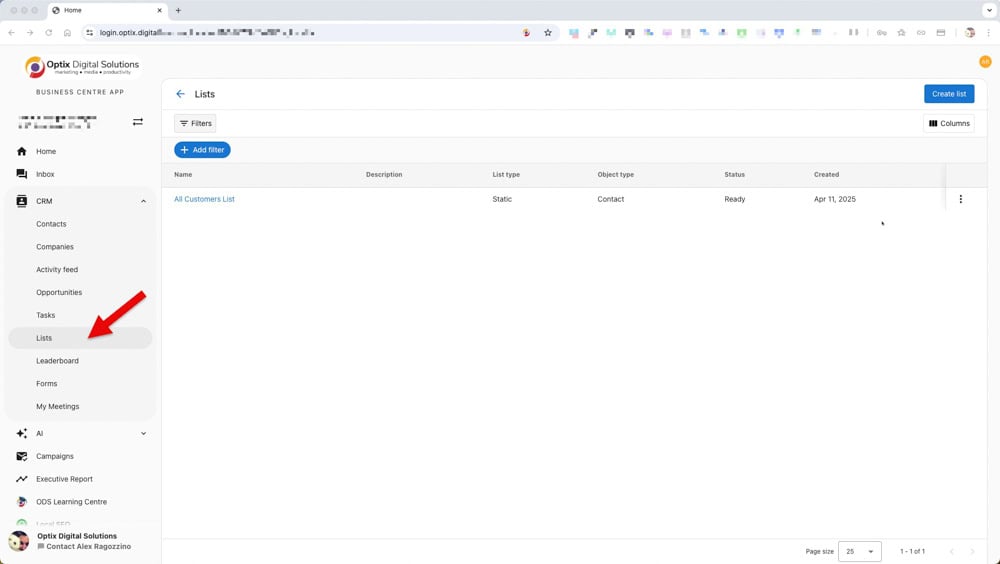
1. Click on the "Lists" menu in the sidebar as shown.
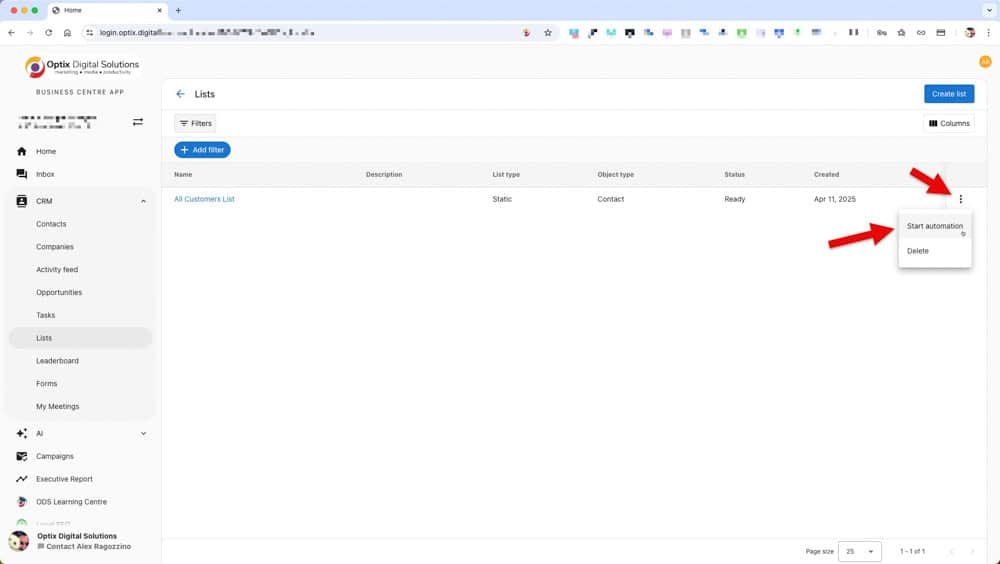
2. Click on the 3 dots to select the "Start Automation" option.
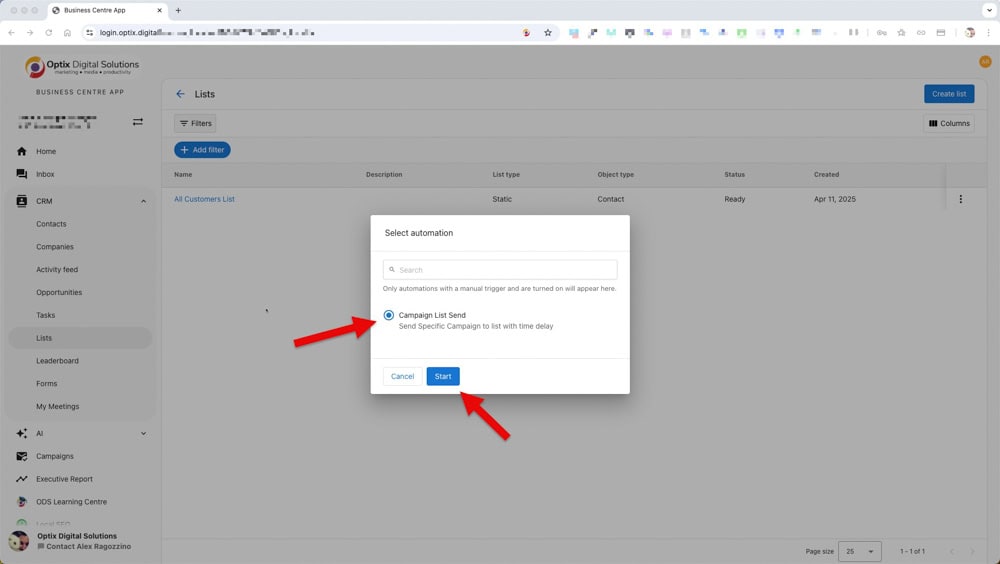
3. Select the Automation.
In this example, a previously created one was named "Campaign List Send."
4. Click on Start.
You are done! Your campaign will be sent based on the parameters configured in the automation. To learn more about this automation, check out PART 3.