To connect to our apps or ad campaigns, we'll need access to your Google Business Profile. Follow the steps illustrated in the screenshots.


Grant Access to Google Business Profile
Follow this only if you have already claimed your Google Busines Profile Account. Otherwise, contact us to arrange for us to set one up.
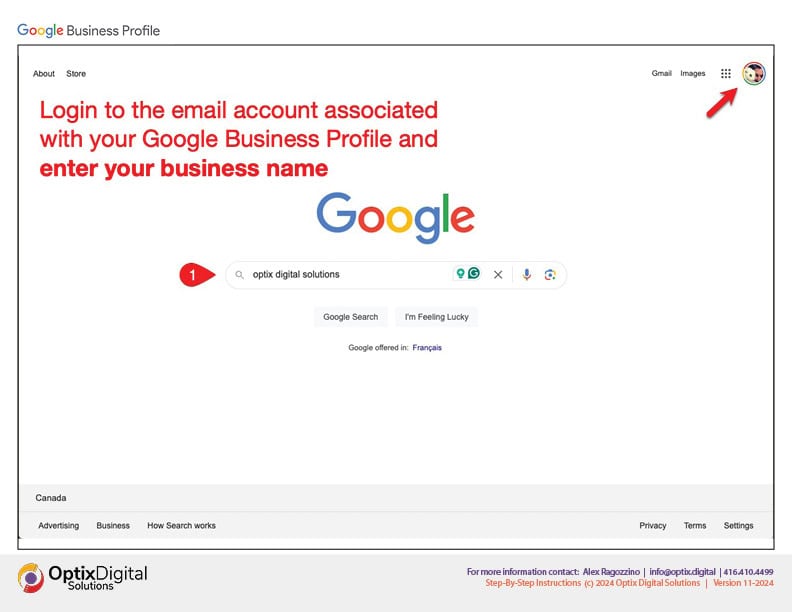
Login to your Google Business Profile Account
Go to https://search.google.com
1. Enter your business name is the search bar
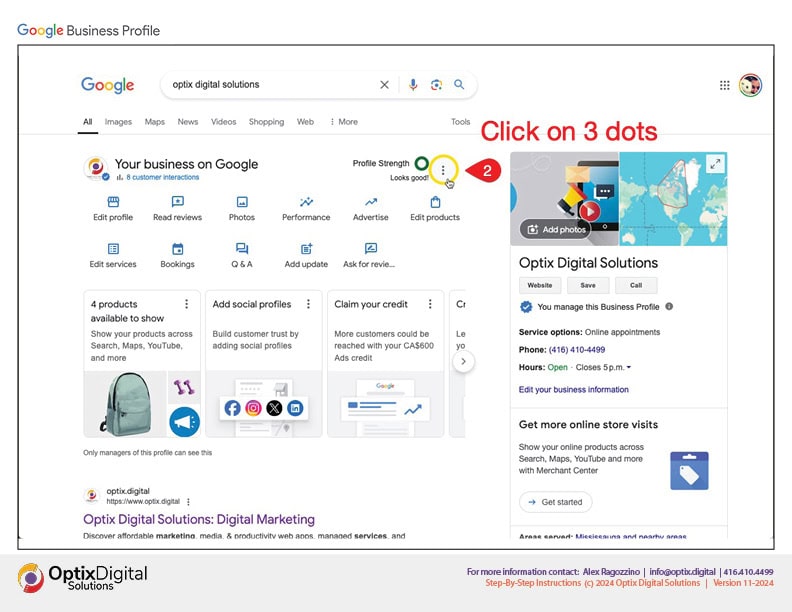
2. Click on the 3 dots as shown to reveal a dropdown menu.
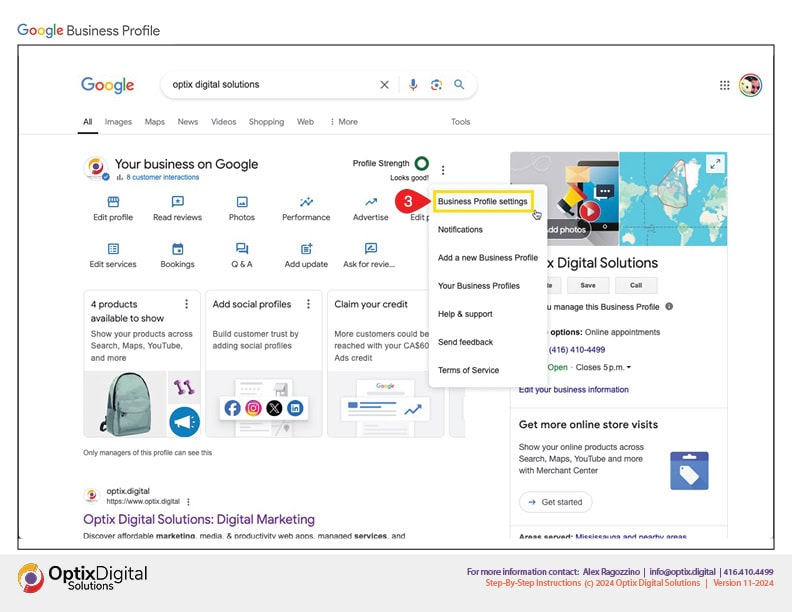
3. Select the "Business Profile Settings" menu.
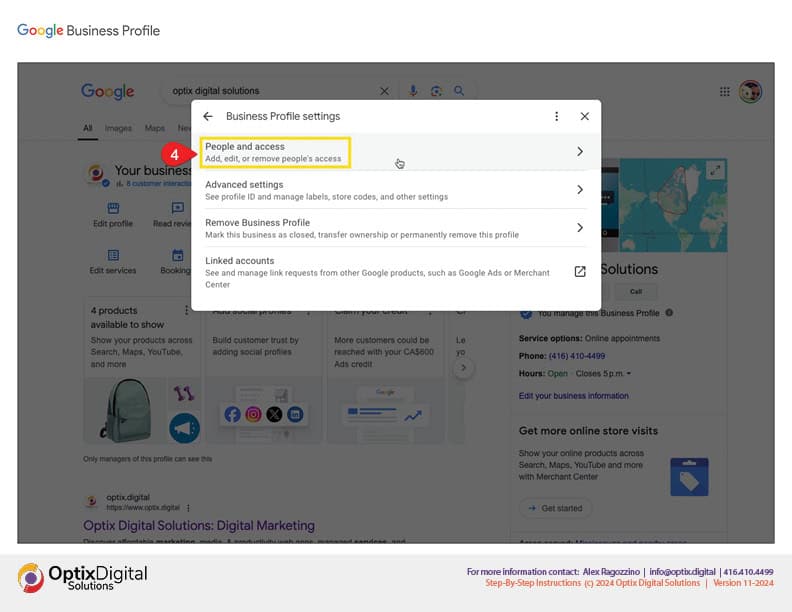
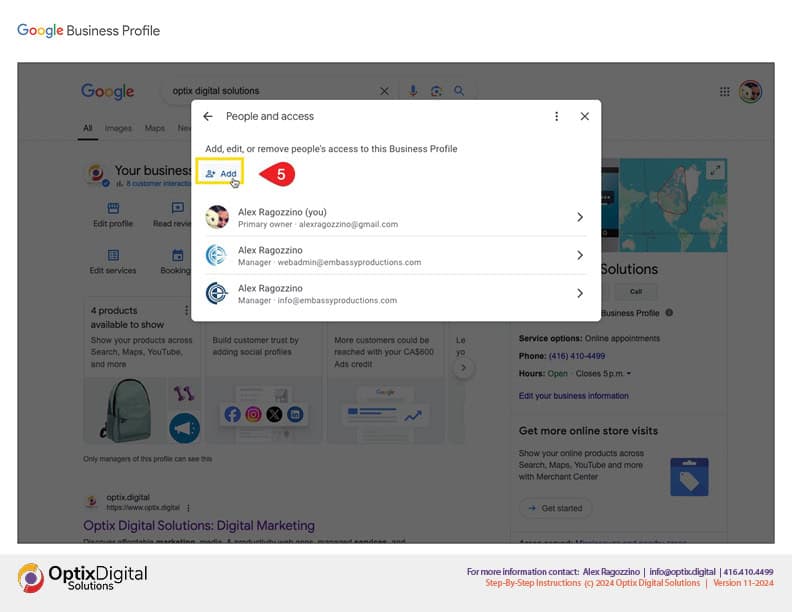
4. Select the "People and Access" option.
5. Select the "Add" as shown.
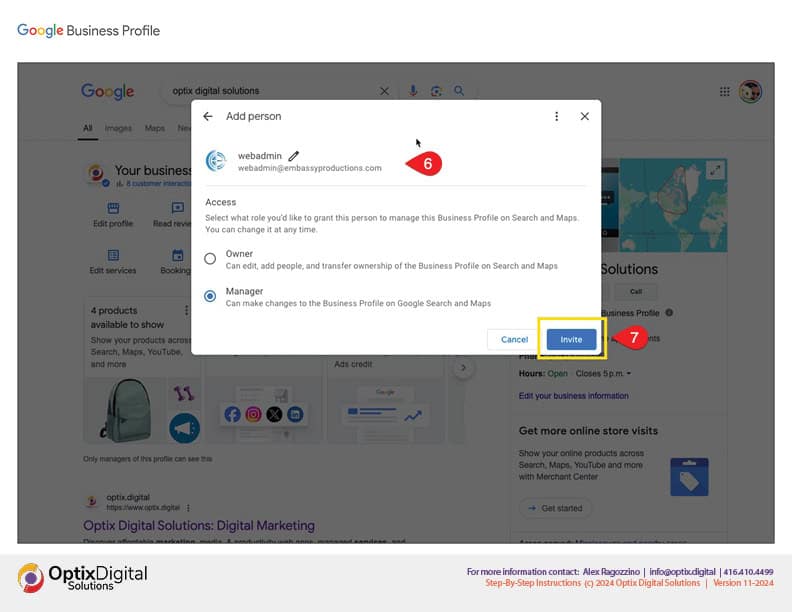
6. input webadmin@embassyproductions.com as the email address.
7. Select the "Invite" button
ALL DONE!
Once you've completed these steps, we will be notified by email and we can proceed with our set-ups and other tasks.
Thank you!