To connect our apps we'll need access to your Google Analytics Account. Follow the steps illustrated in the screenshots.

Grant Access to Google Analytics
Follow this only if you already have a Google Analytics Account. Otherwise, contact us to arrange for us to set one up.
First Step: Login to your Google Analytics Account
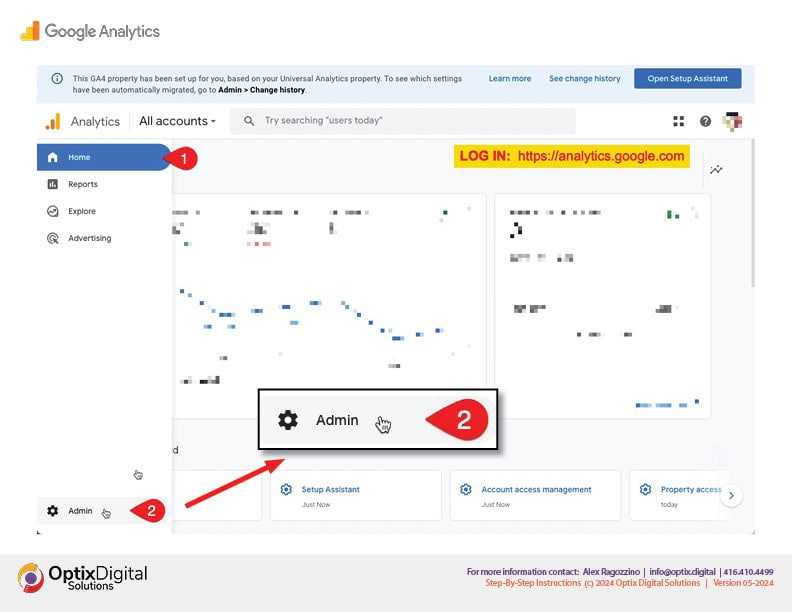
Go to https://analytics.google.com
1. Click on the Home Button
2. Click on "Admin"
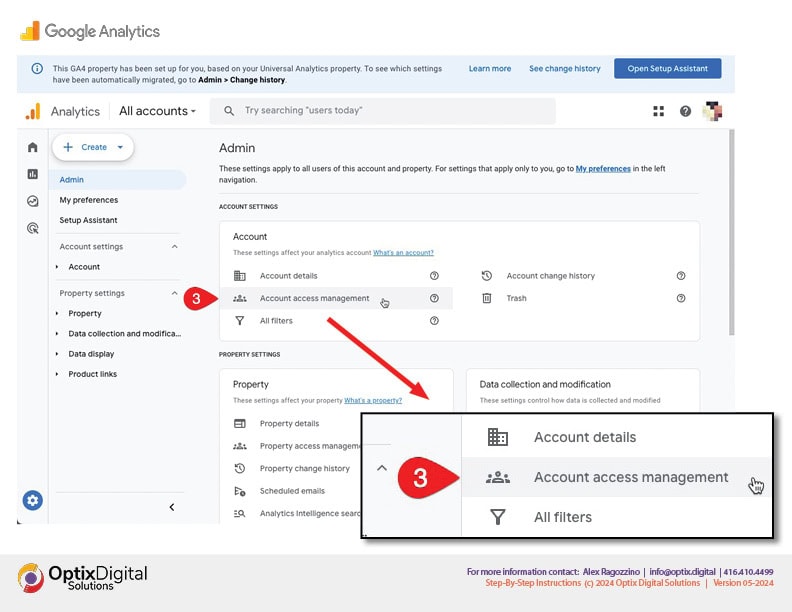
3. Select "Account access management" on the screen
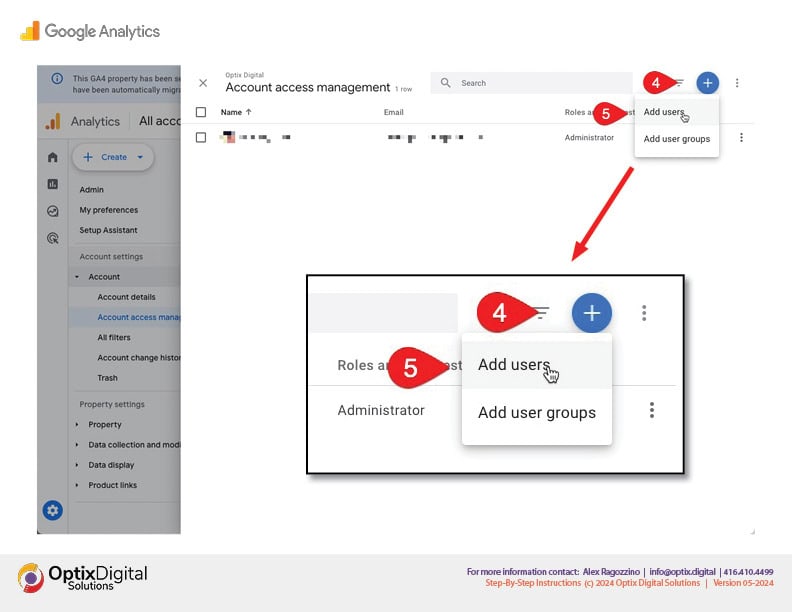
4. At the top right-hand side of the screen, click on the blue plus (+) button
5. Then select "Add users"
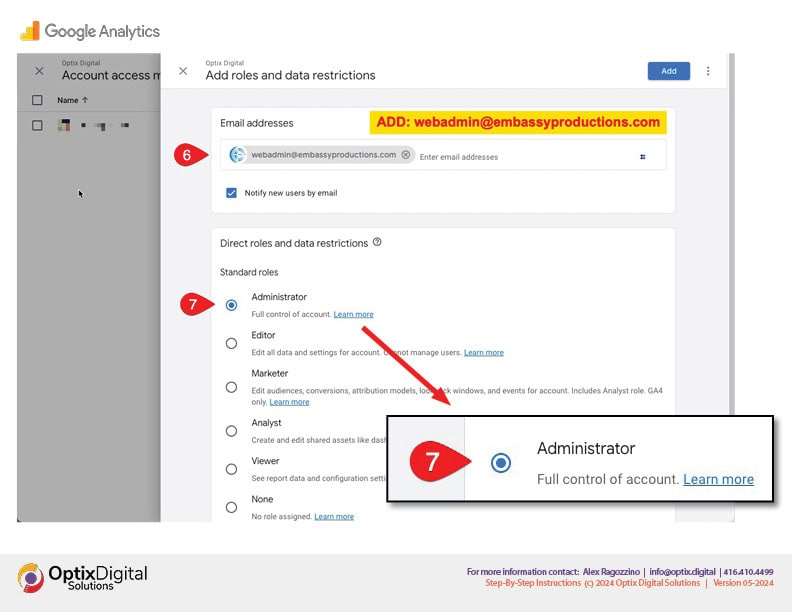
6. input webadmin@embassyproductions.com as the email address
7. Select the "Administrator" role
ALL DONE!
Once you've completed these steps, we will be notified by email and we can proceed with our set-up and other tasks.
Thank you!